Store

No products in the cart.

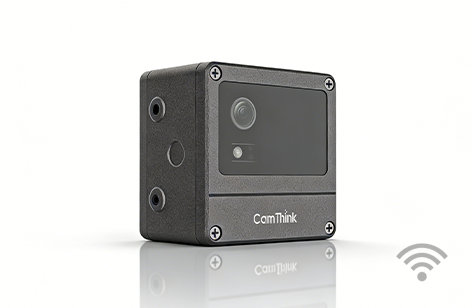
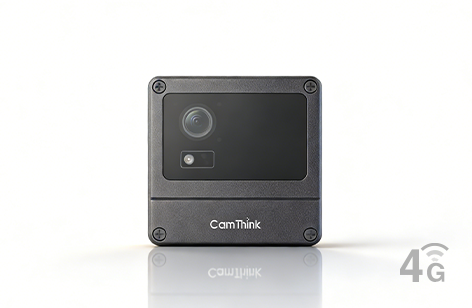
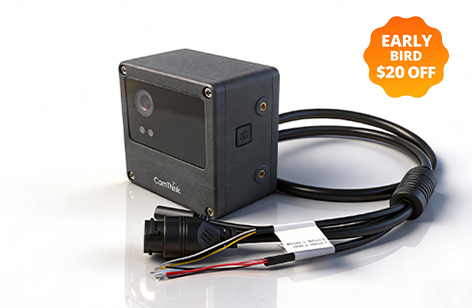
NeoEyes NE301
Ultra-Low Power Vision AI Camera
Built on STM32N6

NeoEyes NE301

Vision AI Camera

Buy Now

Built for Edge. Ready for Anything.

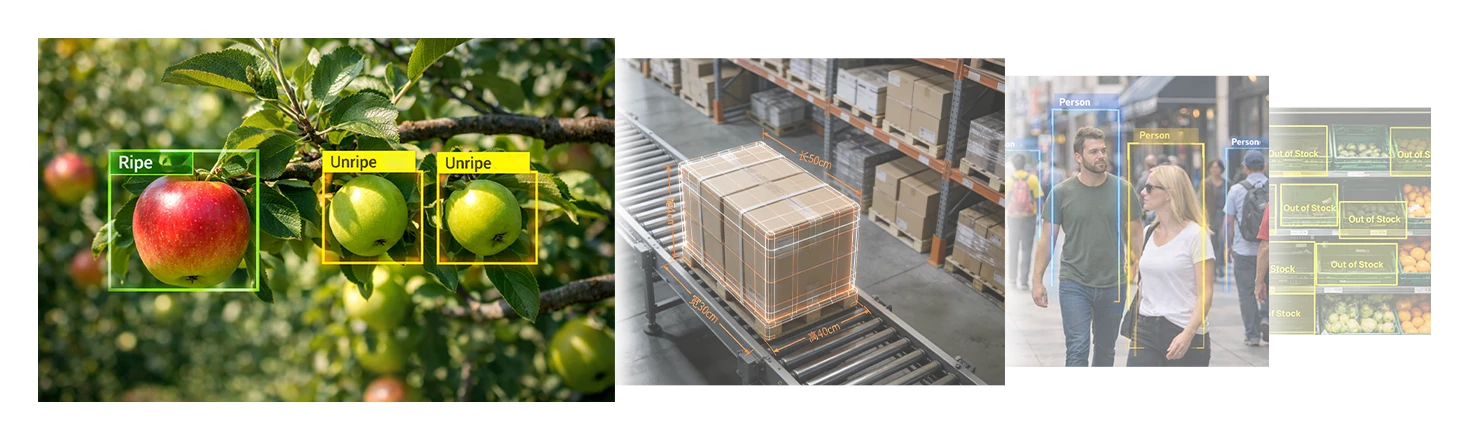
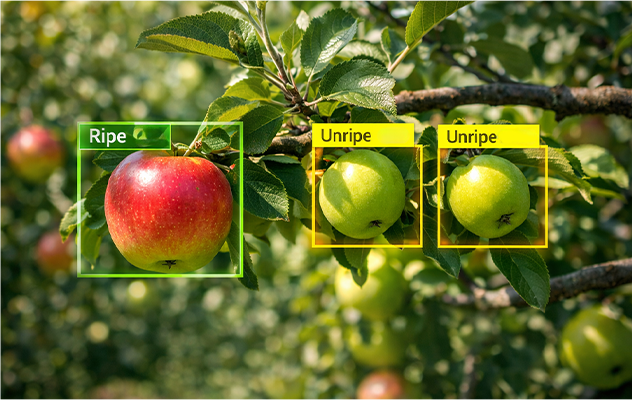
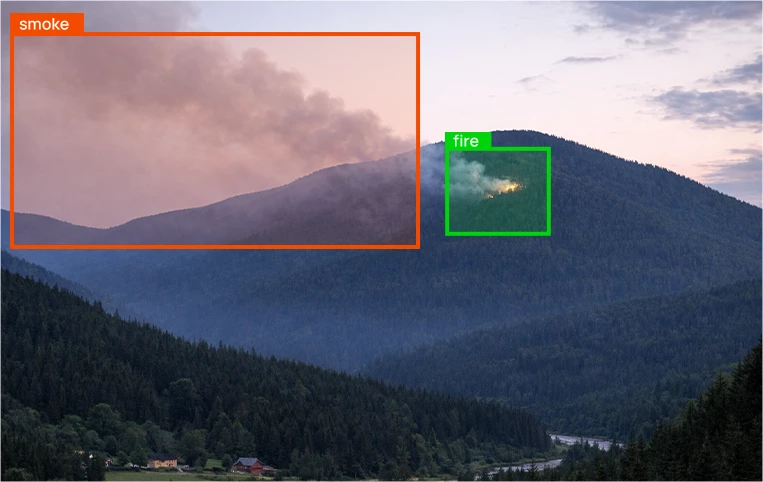
Efficient AI at the Edge: NE301 running YOLOv8 at 25 FPS for real-time object detection
  25 FPS YOLOv8
Efficient AI at the Edge
Diagram of the NE301 Open Ecosystem, featuring API, open-source firmware, and SDK for customization.

Firmware

Tools

API

SDK

Open
Ecosystem

Close-up of the STM32N6 NPU chip, delivering 600 GTOPS (0.6 TOPS) of on-device AI performance.

Low Power
Instant Response

Exploded diagram showing the NE301 Modular Integration and customization of I/O sensing systems.

Modular Integration

Customize Your Sensing System

Low Power Instant Response design, showing the STM32N6 and STM32U0 power controller for ultra-low standby.

600 GTOPS

Performance

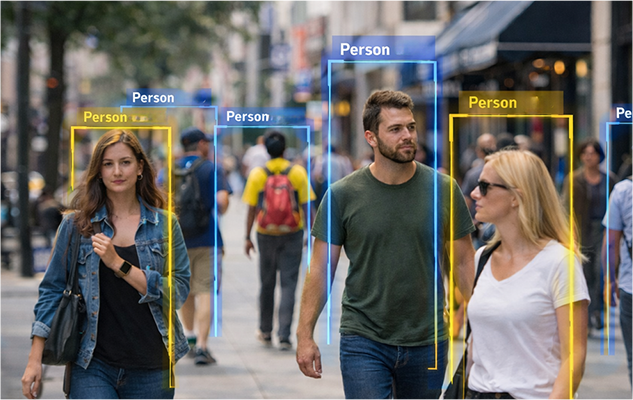
NE301 deployed in an outdoor street scene, showing Flexible Power options (PoE/Battery) and IP67 readiness.

Flexible Power ·
Deploy Anywhere

Built for Edge.
Ready for Anything.

Efficient AI at the Edge: NE301 running YOLOv8 at 25 FPS for real-time object detection

Efficient AI
at the Edge

25 FPS YOLOv8 at
3 TOPS/W

Close-up of the STM32N6 NPU chip, delivering 600 GTOPS (0.6 TOPS) of on-device AI performance.

600 GTOPS

Performance

Low Power Instant Response design, showing the STM32N6 and STM32U0 power controller for ultra-low standby.

Low Power
Instant Response

Exploded diagram showing the NE301 Modular Integration and customization of I/O sensing systems.

Modular Integration

Customize Your
Sensing System

Diagram of the NE301 Open Ecosystem, featuring API, open-source firmware, and SDK for customization.

Open Ecosystem

  • Firmware
  • Tools
  • API
  • SDK
NE301 deployed in an outdoor street scene, showing Flexible Power options (PoE/Battery) and IP67 readiness.

Flexible Power ·
Deploy Anywhere

AI Model Deployment icon label for LOCAL / OTA (Over-The-Air) software updates
Cloud icon representing remote AI model deployment or smart object functionality

Deploy AI models fast

Update AI models locally or remotely across devices. Manage staged rollout and rollback via Web UI / API.

Model deploy guide
Lightning bolt icon for the remote wake and instant response feature

Remote wake,
instant response

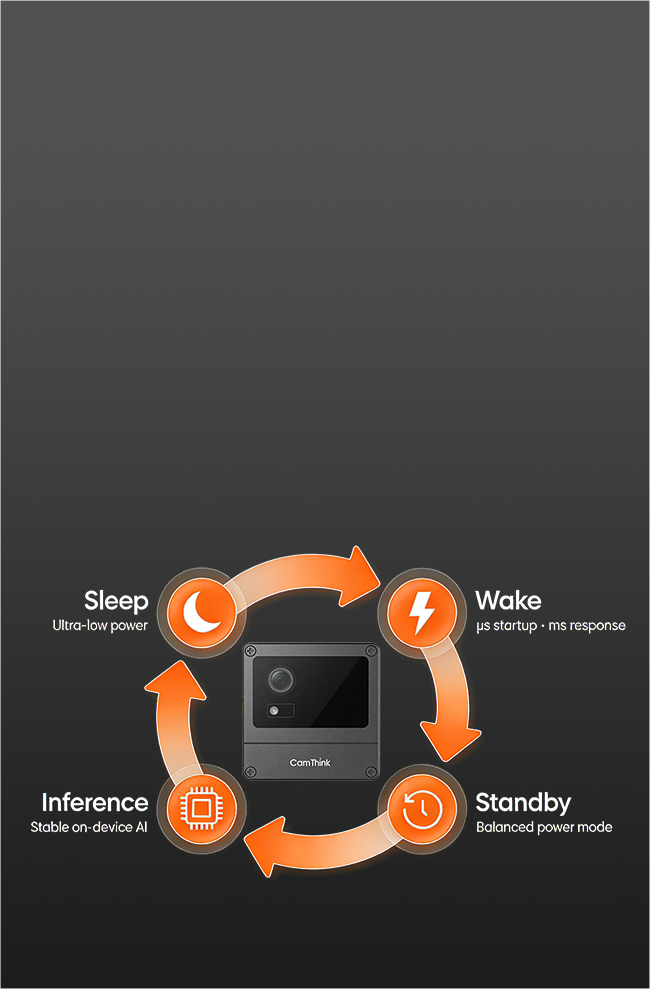
Independent STM32U0 power hub with Sleep / Standby / Performance modes and wake via RTC, GPIO, UART/RS485, BLE, or MQTT.

Power Mode

NE301 AI Camera STN36N2 Startup and wake-up speed label showing microsecond and millisecond ( $\mu s / ms$) performance
IP67 Outdoor Ready certification label for the durable NeoEyes NE301 Edge AI Camera
Shield icon representing the robust IP67 durability and protection of the NeoEyes NE301 Ultra Low Power camera

Built for the field

-20~50 °C, 0–95% RH. Compact size with multiple mounts. Power via 4×AA / PoE / Solar / Type-C.

Accessories
Icon

Plug-and-Play

Icon

Power Mode

Icon

Model Deployment

Icon

Connect & Install

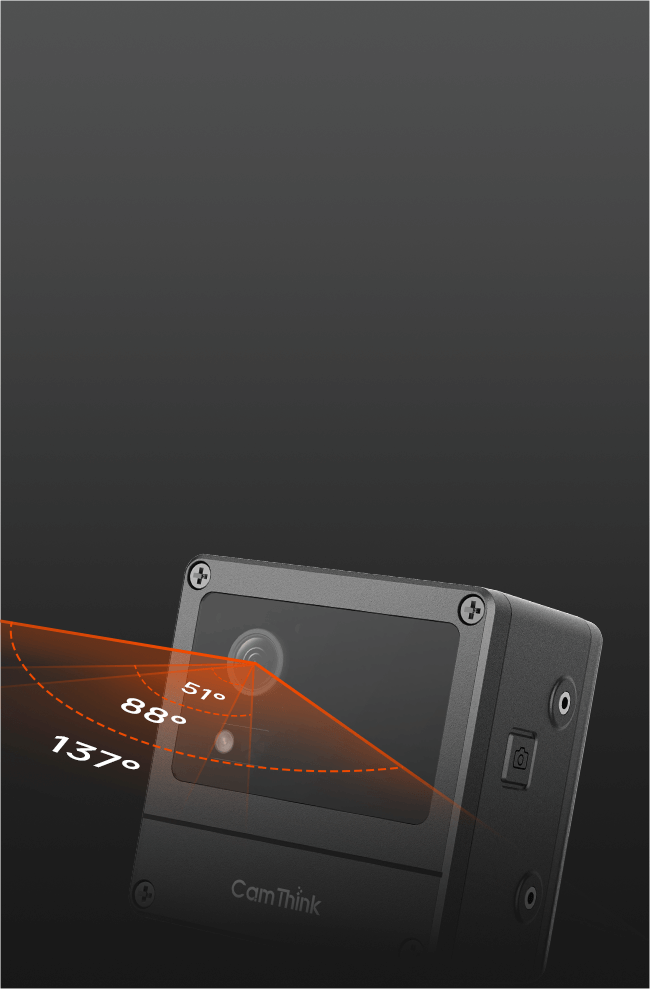
Pick Your Field of View

Connect via MIPI-CSI or USB, with selectable 51° / 88° / 137° FOV to match distance and coverage, ensuring correct framing and image quality.

Quick Start
Pick Your Field of View feature for CamThink, showing MIPI-CSI and USB connectivity, with selectable 51° / 88° / 137° FOV

Power Mode

Choose Sleep / Standby / Performance mapped to your scenario, with remote wake via RTC, GPIO (PIR/radar), UART / RS485, BLE, MQTT.

Quick Start
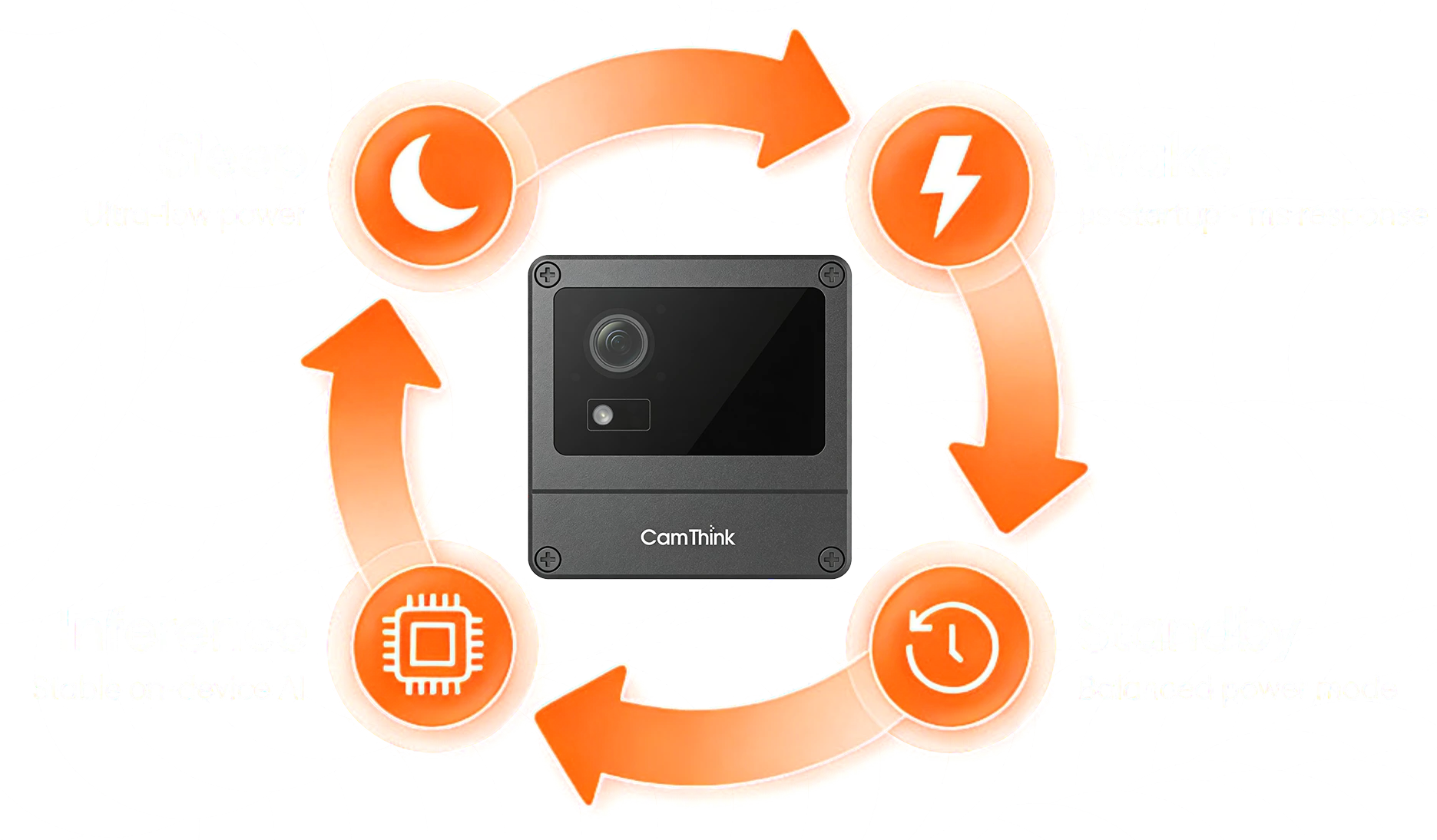
Sleep / Standby / Performance mapped to your scenario, with remote wake via RTC, GPIO (PIR/radar), UART / RS485, BLE, MQTT.

Model Deployment

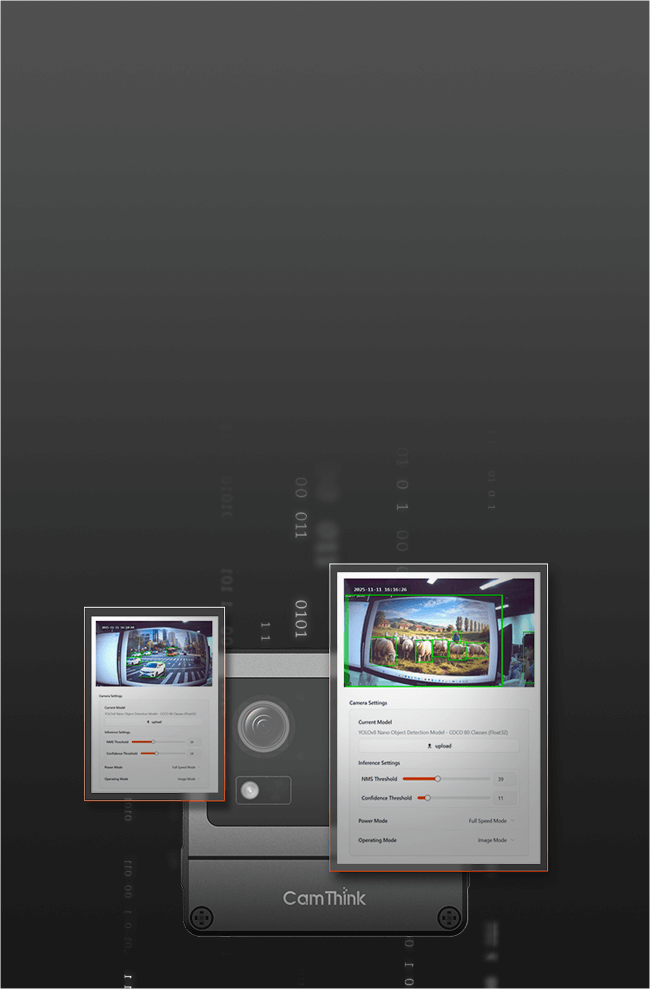
Import AI models in Web UI, validate on live feeds, then run on-device image/video inference locally or via OTA with staged rollout and rollback.

Quick Start
Deploy your AI Model feature for CamThink, showing Web UI import, on-device inference, and local or OTA deployment

Connect & Install

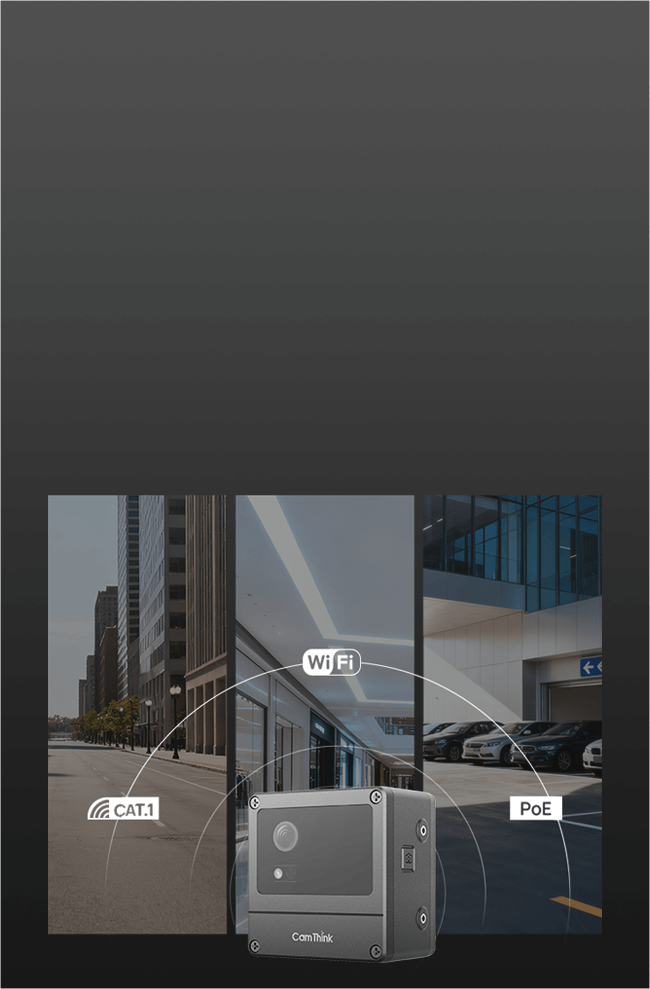
Connect via Cat.1, PoE, Wi-Fi 6, and secure MQTT/HTTPS with TLS for easy site installation.

Quick Start
Connect & Install feature for CamThink, showing Cat.1, PoE, Wi-Fi 6, and secure MQTT/HTTPS with TLS
Cloud icon representing remote AI model deployment or smart object functionality

Deploy Your AI Model

Import AI models in Web UI, validate on live feeds, then run on-device image/video inference . Deploy locally or via OTA with staged rollout and rollback.

Model deploy guide
AI Model Deployment icon label for LOCAL / OTA (Over-The-Air) software updates
Lightning bolt icon for the remote wake and instant response feature

Remote wake,
instant response

Choose Sleep / Standby / Performance mapped to your scenario, with remote wake via RTC, GPIO (PIR/radar), UART / RS485, BLE, MQTT.

Power Mode
Power Mode icon label for the remote wake and instant response feature
Shield icon representing the robust IP67 durability and protection of the NeoEyes NE301 Ultra Low Power camera

Built for the field

-20~50 °C, 0–95% RH. Compact size with multiple mounts. Power via 4×AA / PoE / Solar / Type-C.

Accessories
Outdoor Ready icon label for the outdoor ready feature

Plug-and-Play

1 / 4

Pick Your Field of View

Connect via MIPI-CSI or USB, with selectable 51° / 88° / 137° FOV to match distance and coverage, ensuring correct framing and image quality.

Quick Start
Power Mode feature for CamThink, showing Sleep / Standby / Performance mapped to your scenario, with remote wake via RTC, GPIO (PIR/radar), UART / RS485, BLE, MQTT.

Power Mode

Choose Sleep / Standby / Performance mapped to your scenario, with remote wake via RTC, GPIO (PIR/radar), UART / RS485, BLE, MQTT.

Quick Start
Deploy your AI Model feature for CamThink, showing Web UI import, on-device inference, and local or OTA deployment

Deploy Your AI Model

Choose Sleep / Standby / Performance mapped to your scenario, with remote wake via RTC, GPIO (PIR/radar), UART / RS485, BLE, MQTT.

Quick Start
Connect & Install feature for CamThink, showing Web UI import, on-device inference, and local or OTA deployment

Connect & Install

Import AI models in Web UI, validate on live feeds, then run on-device image/video inference . Deploy locally or via OTA with staged rollout and rollback.

Quick Start
Pick Your Field of View feature for CamThink, showing selectable 51°, 88°, 137° FOV and MIPI-CSI or USB connectivity

Pick Your Field of View

Connect via MIPI-CSI or USB, with selectable 51° / 88° / 137° FOV to match distance and coverage, ensuring correct framing and image quality.

Quick Start
Sleep / Standby / Performance mapped to your scenario, with remote wake via RTC, GPIO (PIR/radar), UART / RS485, BLE, MQTT.

Power Mode

Choose Sleep / Standby / Performance mapped to your scenario, with remote wake via RTC, GPIO (PIR/radar), UART / RS485, BLE, MQTT.

Quick Start
Deploy your AI Model feature for CamThink, showing Web UI import, on-device inference, and local or OTA deployment

Deploy Your AI Model

Choose Sleep / Standby / Performance mapped to your scenario, with remote wake via RTC, GPIO (PIR/radar), UART / RS485, BLE, MQTT.

Quick Start
Connect & Install feature for CamThink, showing Web UI import, on-device inference, and local or OTA deployment

Connect & Install

Import AI models in Web UI, validate on live feeds, then run on-device image/video inference . Deploy locally or via OTA with staged rollout and rollback.

Quick Start
Background image for the Accelerated Edge AI Deployment section, featuring Smart Vision Node and Sensor Fusion Hub applicationse

Accelerated Edge AI Deployment

From concept to reality, leverage NE301's open ecosystem to rapidly build high-impact AI applications.
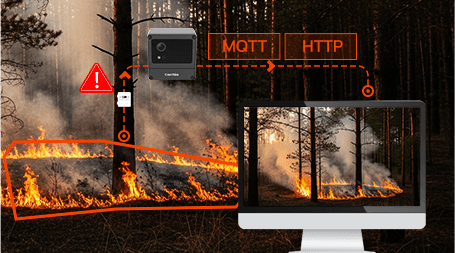
  • NE301 Sensor Fusion Hub integrating PIR, radar, and environmental sensors with MQTT/HTTP for smart IoT applications

    Smart Vision Node

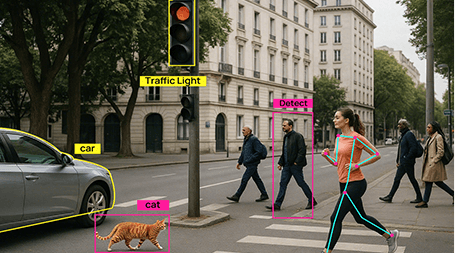
    Use NE301 as a standalone edge AI camera for image or video tasks. Switch between real-time video inference and low-power detection — all on the edge.

    Setup:

    1× NE301

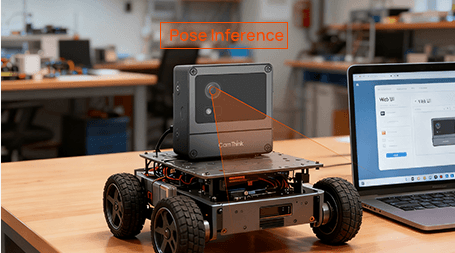
  • NE301 Mobile Vision System integrated into a robotics platform for real-time navigation and AI tracking in robotics.

    Sensor Fusion Hub

    Deploy NE301 as a local Wi-Fi hub to fuse data from PIR, radar, or environmental sensors. Combine sensor triggers with image analytics and send real-time results via MQTT or HTTP.

    Setup:

    1x NE301 + 2-3 Sensor (PIR / Radar) + Wi-Fi / Cat.1
  • Applications

    Mobile Vision System

    Integrate NE301 into DIY robots for real-time navigation, tracking, or gesture control. Open, low-power, and fully programmable for mobile prototypes.

    Setup:

    1× NE301

Accelerated Edge AI
Deployment

From concept to reality, leverage NE301's open ecosystem to rapidly build high-impact AI applications.

1 / 3
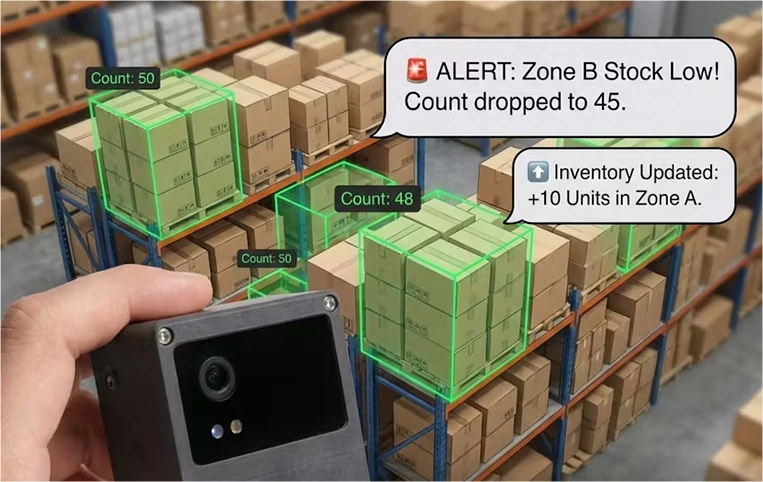
NE301 Smart Vision Node running YOLOv8 at 25 FPS for real-time object detection, demonstrating efficient AI at the edge.

Smart Vision Node

Use NE301 as a standalone edge AI camera for image or video tasks. Switch between real-time video inference and low-power detection — all on the edge.

Setup:

1× NE301
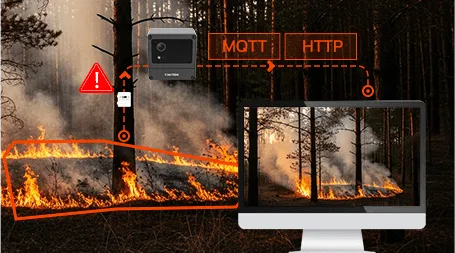
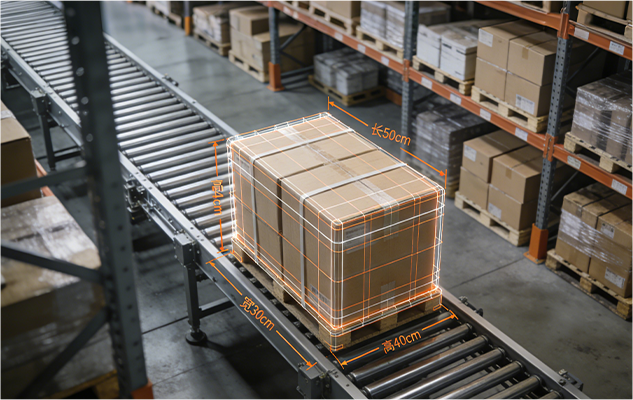
NE301 Sensor Fusion Hub integrating PIR, radar, and environmental sensors with MQTT/HTTP for smart IoT applications

Sensor Fusion Hub

Deploy NE301 as a local Wi-Fi hub to fuse data from PIR, radar, or environmental sensors. Combine sensor triggers with image analytics and send real-time results via MQTT or HTTP.

Setup:

1x NE301 + 2-3 Sensor (PIR / Radar) + Wi-Fi / Cat.1

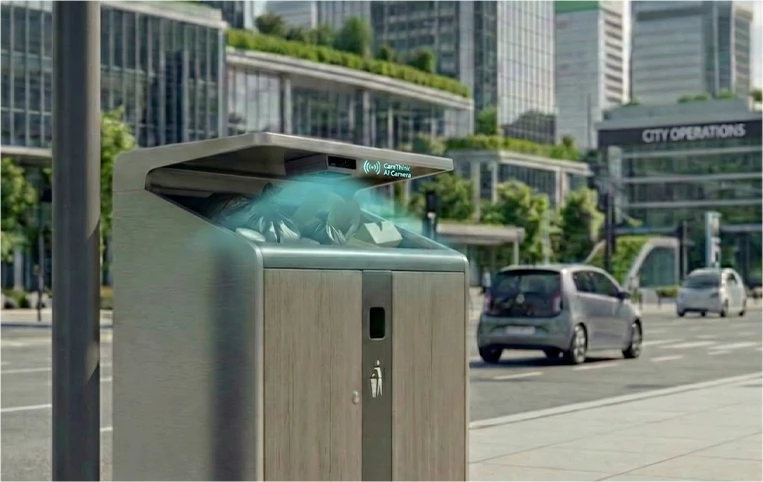
NE301 Mobile Vision System integrated into a robotics platform for real-time navigation and AI tracking in robotics.

Mobile Vision System

Integrate NE301 into DIY robots for real-time navigation, tracking, or gesture control. Open, low-power, and fully programmable for mobile prototypes.

Setup:

1× NE301

NE301 Smart Vision Node running YOLOv8 at 25 FPS for real-time object detection, demonstrating efficient AI at the edge.

Smart Vision Node

Use NE301 as a standalone edge AI camera for image or video tasks. Switch between real-time video inference and low-power detection — all on the edge.

Setup:

1× NE301

NE301 Sensor Fusion Hub integrating PIR, radar, and environmental sensors with MQTT/HTTP for smart IoT applications

Sensor Fusion Hub

Deploy NE301 as a local Wi-Fi hub to fuse data from PIR, radar, or environmental sensors. Combine sensor triggers with image analytics and send real-time results via MQTT or HTTP.

Setup:

1x NE301 + 2-3 Sensor (PIR / Radar) + Wi-Fi / Cat.1

NE301 Mobile Vision System integrated into a robotics platform for real-time navigation and AI tracking in robotics.

Mobile Vision System

Integrate NE301 into DIY robots for real-time navigation, tracking, or gesture control. Open, low-power, and fully programmable for mobile prototypes.

Setup:

1× NE301

Specifications

CoreCortex-M55 @ 800 MHz, Arm Helium (M-Profile Vector Extension)
NPUNeural-ART™ accelerator @1GHz, up to 0.6 TOPS AI inference
SRAM4.2 MB
ISPOn-Chip ISP with demosaicing, AWB
Vido CodecH.264 Hardware encoder, JPEG codec, supports 1080p@30fps
NPU Efficiency3 TOPS/W, fanless
Boot / Wake TimeMicrosecond boot, Millisecond wake-up
Power Ctrl UnitThe STM32U073Kx further reduces N6 power consumption through independent, refined power management.
HyperFlash128 MB
PSRAM64 MB
Buttons (On-board)1x Reset、1x Boot、1x Snapshot / Recording
Indicators (On-board)1x ​Power LED (PWR)、1x ​​​​Status LED (STS)​​ 、1x Debug LED
CommunicationWiFi6 / Bluetooth 5.4
Lens Module1x 4-Pin USB、1x MIPI CSI-2
I/O Interfaces1x UART、1x RS485、1x I2C、2x GPIO、2x GND、1x 3.3V / 5V (controllable)
Debug/Power1x USB Type-C、1x 4-Pin UART
​Audio I/O1x Audio-IN 、1x Audio-OUT
Communication Expansion12-Pin + 16-Pin expansion IOs for communication modules
Power Interface2-Pin Connector (Battery / USB Type-C) 4MP OS04C10 / USB Camera Module
Camera Module4MP OS04C10 / USB Camera Module
Sensor Expansion2-Pin Connector (Battery / USB Type-C)
Power5V DC-In
Operating Temperature-20°C ~ 50°C
Ambient Humidity0–95% RH (non-condensing)
Dimensions77 x 77 x 48 mm
CertificationCE / FCC / RoHS / SRRC

Specifications

ProcessorSTM32N6 (Cortex-M55 + NPU 0.6 TOPS) + STM32U073Kx
Memory4.2 MB SRAM + 64 MB PSRAM + 128 MB HyperFlash
Al Performance600 GOPS
NPU Efficiency3 TOPS / W
Camera InputMIPI CSI / USB
ConnectivityWi-Fi 6 / BLE 5.4
StorageSD Card (Excluded)
Operating Temp-20 °C ~ +50 °C
ProtectionIP67
Power supply4×AA battery / PoE / DC input
Dimensions77 × 77 × 48 mm
Resources
Download NG4500 Edge AI Box technical datasheet in PDF format
Datasheet
All specs in one place
Download
Access NG4500 developer guide with setup steps and examples
Developer Docs
Step-by-step developer guide
Discover Now
Join CamThink's developer community on Discord for support and collaboration
Discord
Join CamThink's global dev community
Join Now
Contact CamThink for NG4500 integration, OEM support, and bulk orders
Business Inquiry
Support for integration and orders
Contact Us
Resources
PDF icon for NE301 datasheet download, view all technical specifications
Datasheet
All specs in one place
Download
Download NG4500 Edge AI Box technical datasheet in PDF format
Developer Docs
Step-by-step developer guide
Discover Now
Join CamThink's developer community on Discord for support and collaboration
Discord
Join CamThink's global dev community
Join Now
Contact CamThink for NG4500 integration, OEM support, and bulk orders
Business Inquiry
Support for integration and orders
Contact Us
Welcome Offer