Quick Answer
The first decision is not which camera to buy. The first decision is where AI should live in the system. In an installed CCTV environment, AI can run on an edge AI box that consumes existing camera streams, on a new AI camera at a critical point, on a low-power event camera at a remote site, or in a platform layer that manages devices, rules and outputs.
The decision strip below maps each constraint to the right path.
Keep existing IPCsUse an edge AI box behind installed RTSP streams.
Add a smart pointInstall an AI camera where local capture and action matter.
Reach remote sitesUse low-power event cameras where power and network are limited.
Unify operationsRoute device events into dashboards, APIs and workflows.
Why Installed CCTV Needs a Routing Step
Most CCTV upgrade projects start with a practical constraint: the cameras, cables, NVRs, VMS rules and monitoring procedures already exist. Replacing everything may be expensive, disruptive or politically impossible. But adding AI without a routing step can create a different problem. The team may buy the wrong hardware for the job.
A programmable AI camera is not automatically the right answer for every old RTSP stream. An edge AI box is not automatically the right answer for every new monitoring point. A low-power sensing camera is not a substitute for a fixed 4K evidence camera. A dashboard does not replace the hardware layer that performs detection. Each role is valid, but each role solves a different part of the deployment.
Use the routing step to separate four questions:
- Do we need to keep the existing cameras and analyze their streams?
- Do we need a new or replacement point where the camera itself handles capture, inference and event output?
- Do we need a remote node that wakes on schedule, PIR, external trigger or low-frequency events?
- Do we already have detections from several devices and need a way to manage data, alerts and dashboards?
Path One: Edge AI Box
This path fits sites with many installed IPCs that still provide acceptable image quality, field of view and network access. The AI layer sits behind those cameras, receives streams such as RTSP, runs models on local compute and sends results to the customer’s VMS, IoT platform or application backend.
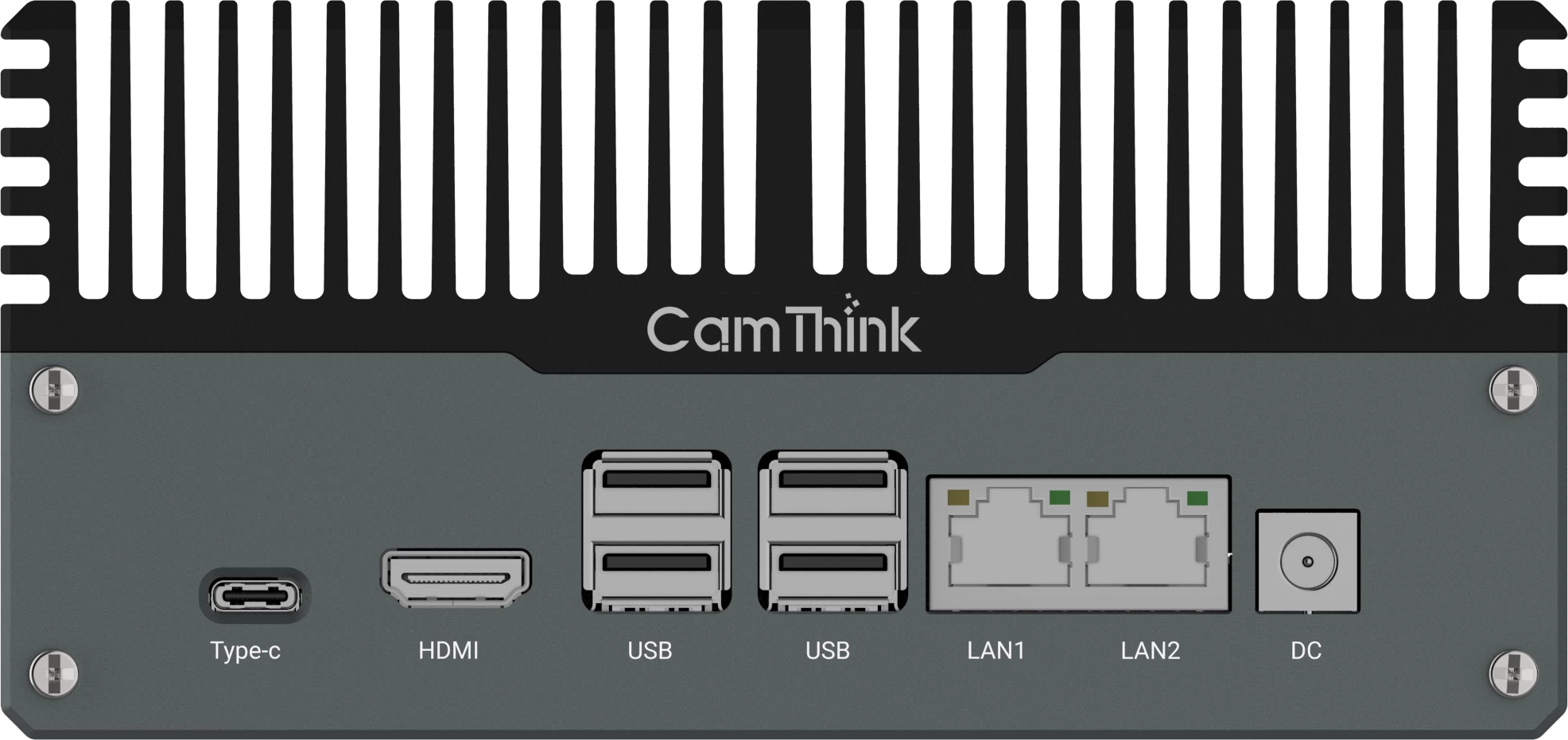
For CamThink projects, this is the path that usually points toward NeoEdge NG4500 or a similar edge AI box. NG4500 is a Jetson Orin Nano/NX edge AI gateway with 2x Gigabit Ethernet, USB, HDMI, RS232, RS485, CAN and DI/DO interfaces. Its software stack includes JetPack, CUDA, TensorRT, DeepStream and common AI frameworks, making it suitable for high-compute visual AI workloads and local AI gateway roles.
This path is strongest when the project has already invested in camera coverage and only needs to add inference close to the site. It also fits teams that want centralized model management for a group of streams, heavier models than a small on-camera processor can support, or on-prem edge compute before sending events upstream.
PoC boundary: validate camera count, RTSP stability, resolution, frame rate, model mix, latency and output format on the actual site. Do not treat a general edge AI box specification as a guaranteed multi-stream result for every CCTV environment.
Path Two: Edge AI Camera
Some locations need a camera that does more than forward video. The camera must capture the scene, run inference, apply local application logic and produce an event that another system can use. Examples include an access point, gate, loading bay, parking lane, restricted zone, production line checkpoint or machine-side inspection point.
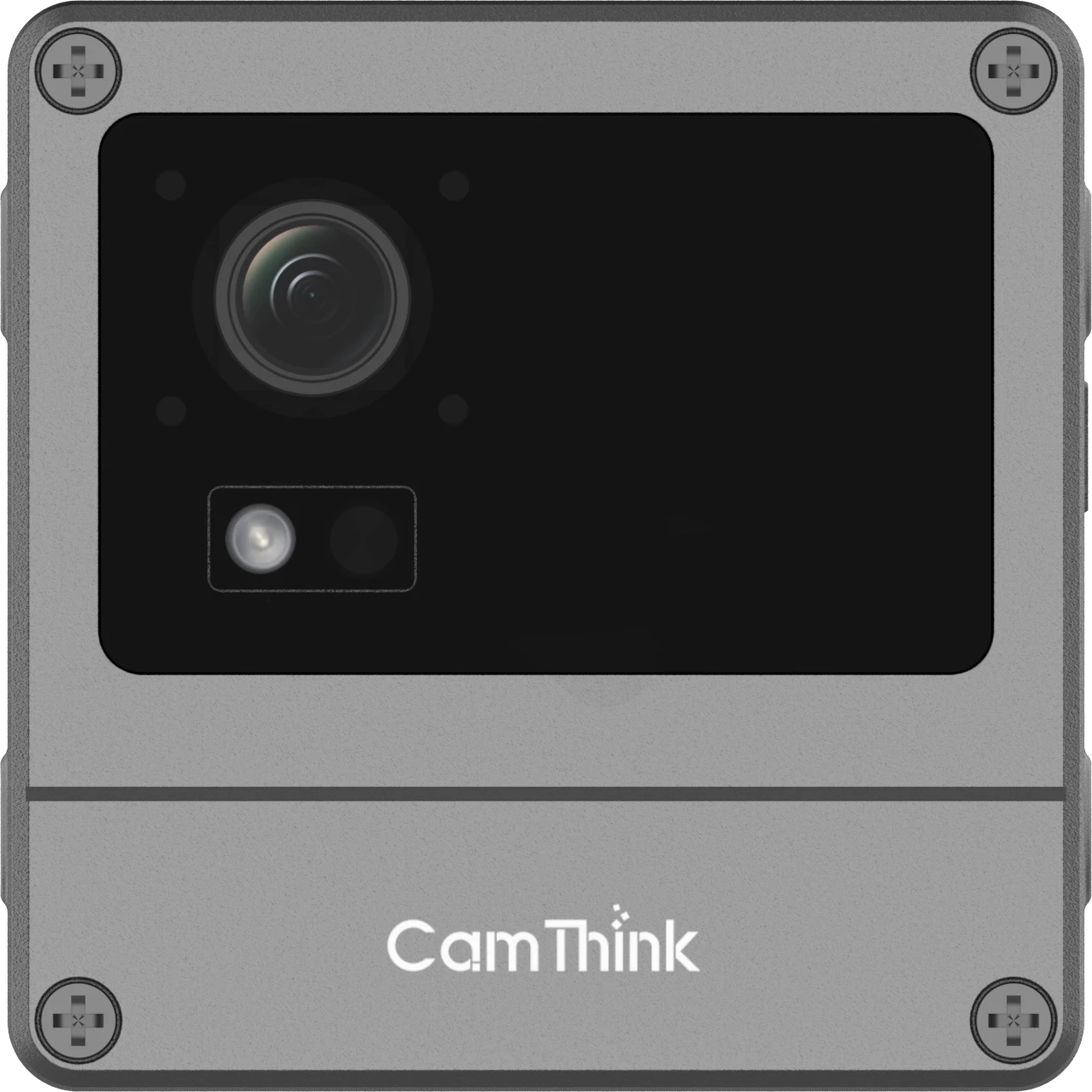
This is the path where NeoEyes NE503 is the better starting point. NE503 combines Sony 4K imaging, Hailo-15H edge AI processing, containerized application deployment, RTSP video, Event Bus, REST API, Python SDK, Alarm I/O and RS-485. It is designed for projects where the camera is also a local application node.
Choose this path when the point needs local capture, inference, application logic and event output. The camera may need to trigger a local alarm, send structured AI events to a backend, expose video for review, or run a customer-specific model and business rule close to the image source. In this case, replacing or adding one intelligent camera can be cleaner than routing every decision through a central server.
This does not mean NE503 should be positioned as the default multi-camera processor for a large bank of old IPCs. If the main goal is to preserve many existing cameras and analyze their streams, evaluate the edge AI box path first.
Path Three: Low-Power Remote Camera
Some AI camera points are not part of a normal CCTV network at all. They may sit at a farm, temporary construction area, outdoor equipment zone, remote asset, wildlife site or low-frequency inspection point. In those locations, continuous video and always-on high compute can be the wrong architecture.
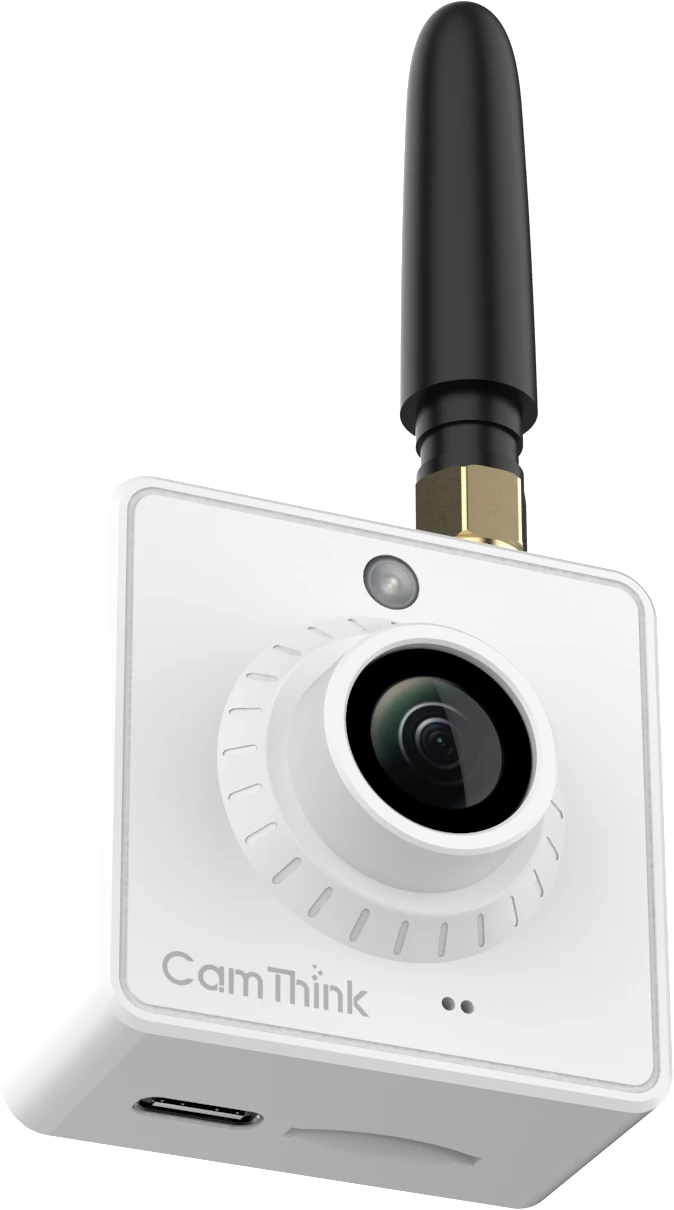
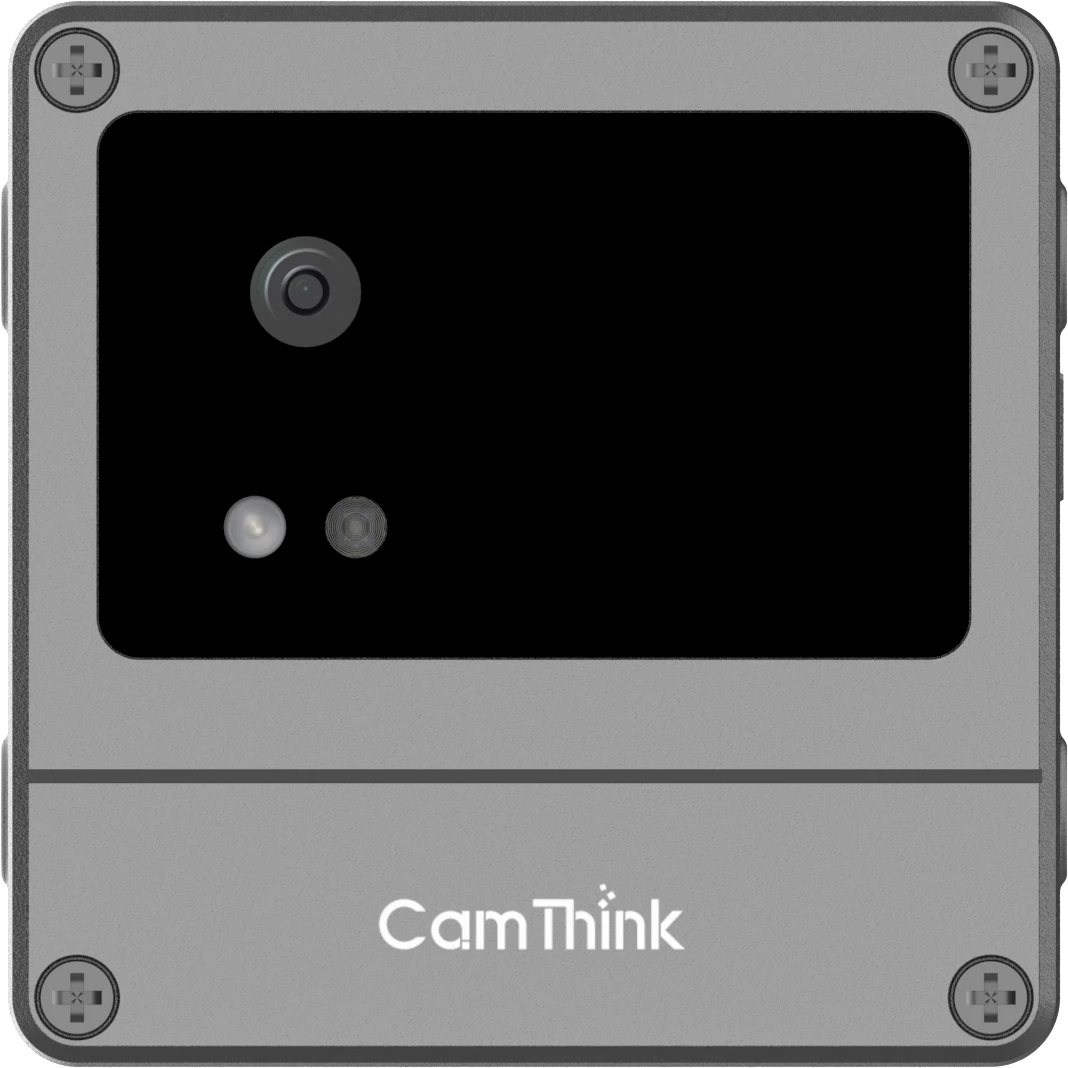
For low-power event capture, begin with the NE301 or NE101 path. NeoEyes NE301 uses an STM32N6 platform with Neural-ART NPU acceleration, up to 0.6 TOPS, 4MP camera options, Wi-Fi 6, optional LTE Cat.1 or PoE variants, MQTT/HTTP workflows, expansion interfaces and IP67 protection. NeoEyes NE101 is a lower-power modular sensing camera built around ESP32-S3, scheduled capture, MQTT firmware workflows and optional communication boards.
This path fits deployments where the camera wakes to capture an image, sends a compact event, reports through MQTT or HTTP, and then returns to a low-power state. It is especially useful when power, maintenance visits and network availability matter more than continuous video evidence.
Do not use this path for heavy continuous analytics, dense multi-camera VMS workloads or projects that require full-time 4K video review. Those constraints point back toward a fixed AI IPC or edge AI box.
Path Four: Dashboard Integration
Sometimes the hardware decision is already mostly solved. The site may have NE503 cameras at intelligent points, NE301 or NE101 nodes in remote areas, and an edge AI box for existing CCTV streams. The remaining problem is operational: where do events go, who reviews them, which rules suppress duplicates, and how does the team see device status?
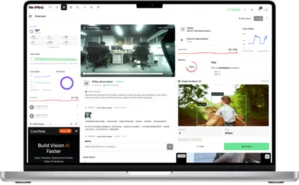
This is the dashboard and integration path. Depending on the project, outputs may move through MQTT, REST, Webhook, Event Bus, VMS connectors, a middleware service or an edge AI platform such as NeoMind, which combines an embedded MQTT broker, LLM-powered agents, rule-based automation and real-time dashboards. The important point is ownership. The device should produce reliable video, images, metadata or structured events. The platform should handle users, sites, dashboards, alert routing, records, reporting and business rules.
Capture layerExisting IPC, NE503, NE301 or NE101
AI layerOn-camera inference or NG4500 edge compute
Operations layerVMS, MQTT broker, REST service, dashboard or NeoMind
For a routing pillar like this one, the platform layer should stay lightweight. A named integration article can later explain the exact payloads, dashboards and connectors once the project has verified evidence.
Deployment Decision Table
Use this table before selecting hardware. It keeps the project discussion focused on deployment constraints rather than product comparison language.
| Project condition | Best first path | CamThink fit | Validate before rollout |
|---|
| Many installed IP cameras already cover the scene. | Edge AI box behind existing RTSP streams. | NG4500 or edge AI box evaluation. | Stream stability, model load, frame rate, latency, event output and thermal conditions. |
| A new gate, lane, line or restricted point needs local intelligence. | AI camera at the critical point. | NE503 for 4K imaging, Hailo-15H inference, container apps and field interfaces. | Lens, mounting angle, model compatibility, event fields, alarm logic and VMS path. |
| The site has limited power, intermittent network or low-frequency events. | Low-power event camera. | NE301 for edge AI event capture; NE101 for low-frequency sensing and image acquisition. | Battery or solar budget, wake-up mode, network coverage, image timing and maintenance interval. |
| Multiple devices already produce events, but operations cannot manage them. | Dashboard and integration layer. | NeoMind AI platform, or MQTT, REST, Webhook, Event Bus and VMS connectors. | Payload schema, deduplication, device identity, user workflow, alert rules and data retention. |
Five-Step Evaluation
After choosing the path, run a small technical evaluation before committing to site-wide rollout. The PoC should answer project-specific questions, not just confirm that the hardware powers on.
- Inventory the installed system. Record camera models, stream URLs, resolutions, frame rates, NVR or VMS ownership, network topology, power limits and security policies.
- Define the AI outcome. Write the actual event the operation needs: person in zone, vehicle at gate, plate detected, shelf empty, equipment status changed or animal captured.
- Choose where inference runs. Pick edge AI box, AI IPC, low-power camera or platform routing based on camera reuse, compute load, power, connectivity and output ownership.
- Verify the output path. Confirm whether the receiving system needs RTSP, MQTT, REST, Webhook, Event Bus, relay output, RS-485 or a custom middleware adapter.
- Test in the real scene. Validate image quality, model behavior, false alerts, network stability, latency, device health and maintenance access under the site’s normal operating conditions.
Have an installed CCTV upgrade in review? Share the camera count, AI goal and integration constraints with CamThink.
Common Misroutes
The most common mistake is turning a routing decision into a product fight. In practice, a project may need more than one layer. A warehouse might keep existing cameras on an edge AI box, add one NE503 at a loading gate and use a dashboard to manage all resulting events.
- Replacing useful installed IPCs only to add AI is usually unnecessary. If coverage and image quality are acceptable, evaluate an edge AI box first.
- A single AI IPC does not handle multi-camera stream analysis by default. Validate that workload separately and consider NG4500 for multi-camera edge compute.
- A low-power event camera does not support continuous video evidence or heavy model workloads.
- A dashboard only becomes useful once the detection, payload and operating rule are defined.
FAQ
Can I add AI without replacing existing CCTV cameras?
Yes, if the installed cameras provide usable video streams and the network can support the workload. In that case, evaluate an edge AI box behind the existing IPCs before replacing cameras.
When should I use an AI camera instead of an edge AI box?
Use an AI camera when a specific point needs local capture, inference, application logic and field action. Use an edge AI box when the main value comes from analyzing multiple existing streams.
Is NE503 the right device for analyzing many old RTSP cameras?
Not as the default path. NE503 is strongest as a programmable 4K AI camera point with local applications and event output. For many existing IPC streams, start with an NG4500 or edge AI box evaluation and validate the exact workload.
Where do MQTT, REST and Webhooks fit?
They belong to the output and integration layer. Devices or edge applications produce structured events, then MQTT, REST or Webhooks route those events to a VMS, IoT platform, dashboard or business system.
What information should I collect before asking for a recommendation?
Collect camera count, stream format, target detection, site environment, power, network, required event output, VMS or platform constraints and whether the project needs continuous video, event images or both.
Next Step
Pick the deployment path that matches the constraint, then run a small PoC on the actual site before committing to scale. The routing decision makes the product discussion straightforward: once the constraint is clear, the right hardware follows.