Existing IP cameras can feed an edge AI pilot when the production stream is accessible, decodes reliably, and shows the detail the task needs. Check these three conditions before replacing cameras or sizing hardware.
Updated 9 min readNG4500
By Harry Hua
In This Article
An existing IP camera is a useful starting point for edge AI when its live feed can be reached by the application, processed reliably, and used to see the event that matters. You do not need to replace a working camera simply because its built-in software has no AI feature. The camera can continue to serve the VMS while a local processor analyzes a selected stream.
The first decision is narrower than a full AI proof of concept: can this particular camera and video path supply dependable input for the intended task? A camera that plays in the VMS may still deny a second client access, expose an unsuitable stream profile, or lose the target in a wide or backlit view. Resolve those input questions before estimating how many cameras an edge box can handle.
What Makes an Existing IP Camera Reusable?
Most standards-based IP cameras are candidates for evaluation, but a logo or protocol checkbox is not an AI compatibility certificate. ONVIF Profile S defines basic video-streaming interoperability, while Profile T covers more advanced streaming functions, including H.264 and H.265 support. An ONVIF client may discover a media profile and retrieve a stream URI. The AI application still has to obtain that stream on the actual network and process it for the target task.
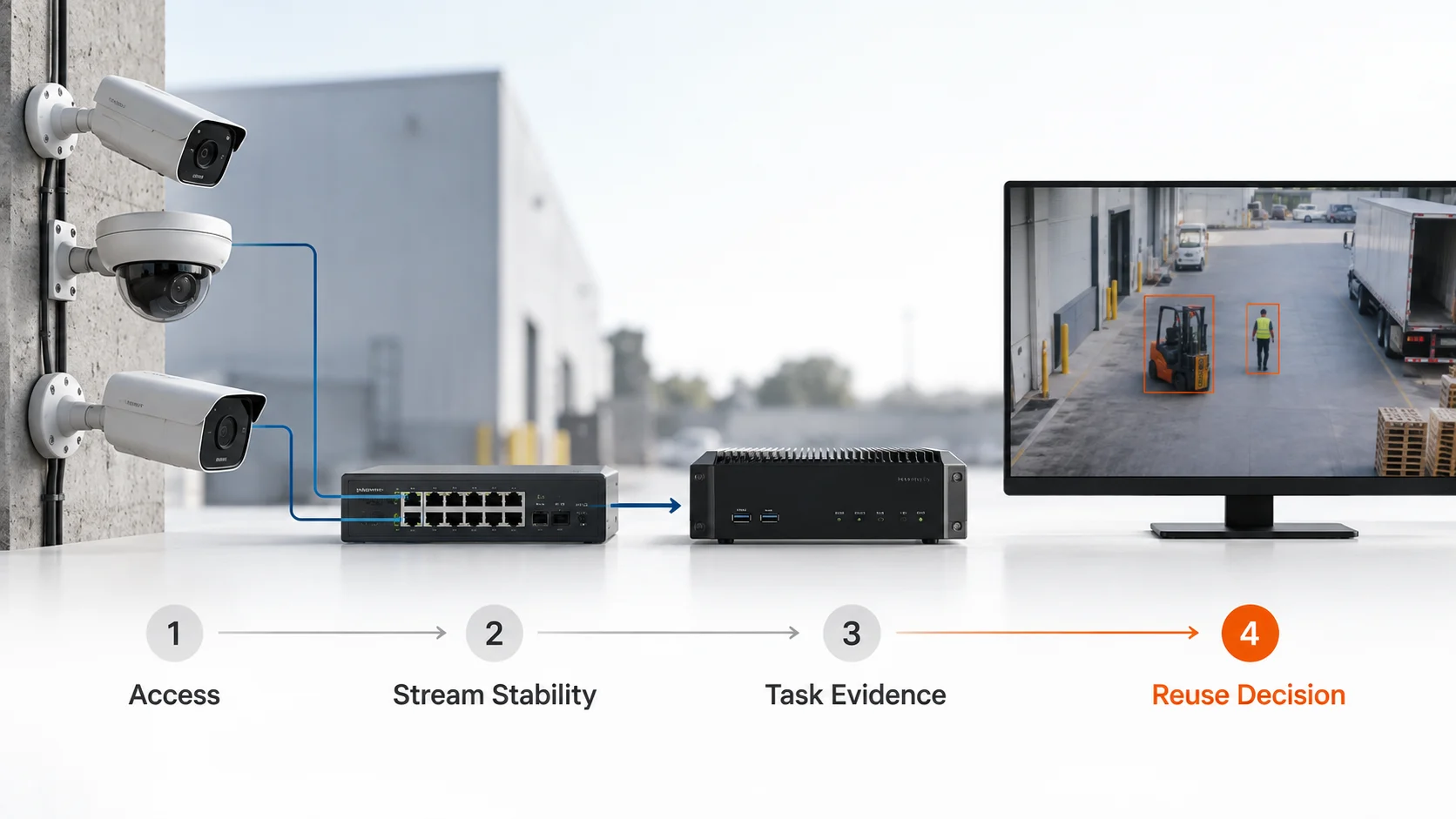
Treat compatibility as three linked gates. This makes the first site conversation productive: a failed gate points to a camera setting, a video path, or a viewpoint change, rather than a vague decision to buy more compute.
Gate
Evidence to collect
If it does not pass
Access
The intended AI host can authenticate and open the production camera or VMS stream while recording continues.
Fix permissions, network routing, stream settings, or the approved source path.
Sustained video
The selected profile decodes, keeps usable timing, and recovers after ordinary interruptions.
Test another profile or correct the video and network path.
Task evidence
The target is visible with sufficient detail in the conditions that matter.
Change the view or camera point; use a footage PoC to assess model performance.
For example, a warehouse camera may give the VMS a clear view of a loading lane, yet the AI host cannot authenticate to its RTSP endpoint. That is an access problem. Replacing the camera before checking account permissions and the VMS restream option could spend money without solving the real blocker. Once the feed opens, the team can judge whether the lane view is useful for its chosen detection task.
Confirm the Production Video Path
Begin with the path the finished application would actually use. The simplest route is a direct stream from the IP camera to the edge processor. Another site may permit access only through an NVR or VMS restream. Either route can support an evaluation, but a transcoded or proxied feed may differ from the original in resolution, frame rate, latency, or timestamps. A test on a convenient laptop feed does not prove the production path.
Record the camera model and firmware, the selected main stream or substream, the source of the RTSP URL, and the account that may access it. Test from the network segment where the edge system will sit. A VMS operator login does not necessarily provide credentials for a separate application; the recorder may use a vendor connector or a camera account that the integration team does not manage. Where supported, use a dedicated account with only the access the video pipeline needs.
Check what happens when the AI application becomes an additional viewer. Some cameras or gateways limit simultaneous sessions, and a new client must not disrupt live view or recording. If the camera is on another VLAN, a routed link, or a wireless bridge, test through that path rather than assuming local playback proves reachability. A usable outcome is concrete: the approved AI host opens the intended profile repeatedly, while the existing video workflow still operates.
This is the right place to decide where the video comes from. It is not yet the place to choose an edge-box size or promise model accuracy. If the installed cameras already provide accessible streams, the edge AI box architecture for existing IP cameras explains how local inference can sit alongside the VMS.
Choose a Video Profile the Pipeline Can Sustain
Once access works, test the exact encoding settings the pilot would use. Note the codec and profile, resolution, frame rate, bitrate behavior, and keyframe interval for both main and substreams. A decoder may support H.264 or H.265 in principle while a particular camera configuration still causes errors, unexpected format changes, or slow recovery. The result has to be observed on the intended software stack.
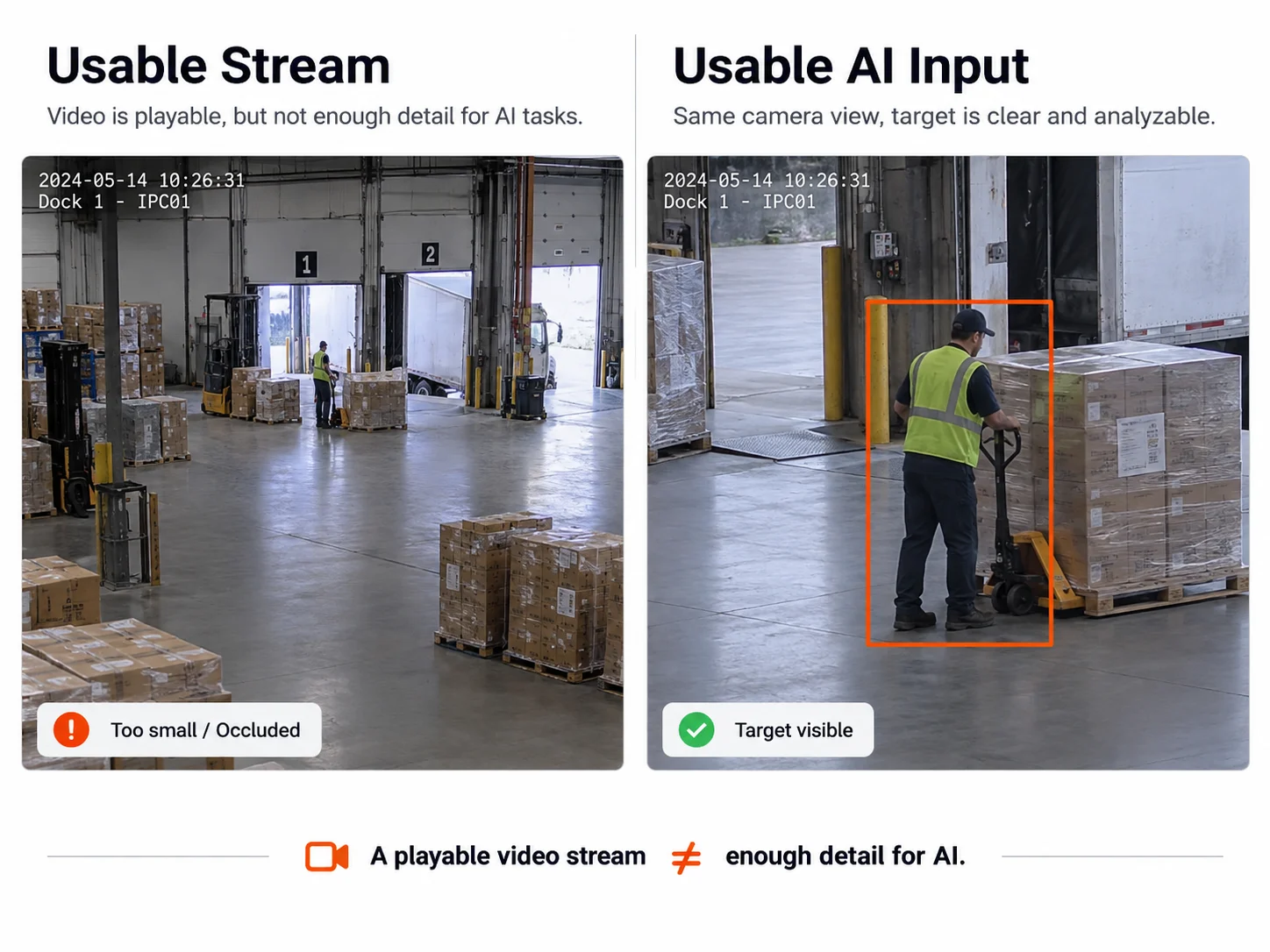
The smallest stream is not automatically the best AI input. A substream can reduce network and decode load, which is useful when several cameras will be analyzed locally. It can also make a distant helmet, small vehicle detail, or short crossing event unusable after the model resizes the frame. Select the lowest-load profile that preserves the task’s evidence and timing, then keep that profile fixed for the compatibility trial. Leave the multi-camera compute calculation to the edge AI box sizing guide.
Run the stream through normal activity, the busiest scene, and any scheduled day-to-night transition. Record disconnects, decode errors, dropped or out-of-order frames, and the time to recover after the camera or application restarts. If an alert must be matched to VMS footage, confirm which clock supplies the event time and that the camera, recorder, and edge processor are synchronized. A stable image in a player window is helpful evidence, but clean decoding and recovery in the application are the more useful result.
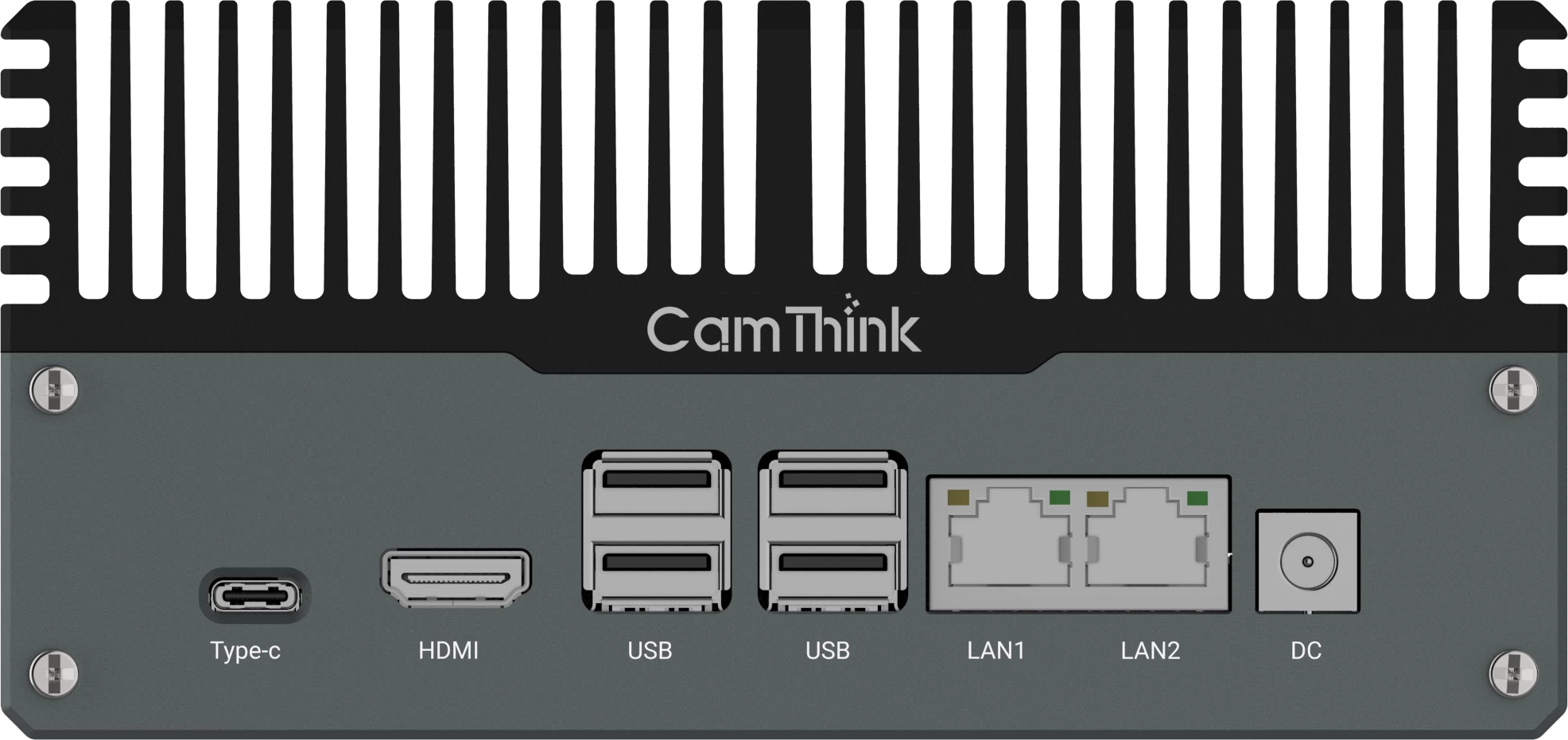
CamThink’s NG4500 DeepStream guide documents RTSP as a video input for a local analytics pipeline. NeoEdge NG4500 is therefore a practical development platform for testing selected existing IP camera feeds. The application, decoder configuration, and production profile still need to be evaluated together; the hardware specification alone does not certify a camera model.
Keep Stream Health Separate from Image Usefulness
A clean stream can carry the wrong picture. Before declaring a camera reusable, name the output the customer needs: a person crossing a line, a helmet on a worker, a vehicle in a bay, or another specific event. Then inspect whether the camera shows that target at the distance, angle, and time at which the decision must be made. The scene may look clear on a large monitor while the object becomes too small after cropping or resizing for the model.
Use a few representative daytime, nighttime, busy, and difficult views to rule out obvious capture problems. Note persistent occlusion, glare, low-light blur, privacy masks, and targets that leave the frame before an event could be detected. If the task depends on details the camera never records, changing an RTSP setting or adding a faster box will not create them. A better lens, position, lighting setup, or camera point may be the more efficient investment.
This article stops at that initial camera-reuse decision. The CCTV footage validation guide shows how to collect representative clips, measure target detail at model input, and evaluate results across real operating conditions. A compatibility pass means the video can enter a meaningful PoC; it is not a claim that an application has passed its accuracy or operational acceptance test.
Run a One-Camera Compatibility Trial
Turn the checks above into a test record that another engineer can repeat. Choose one representative camera and run from the intended edge host while the VMS continues its normal work. Label the record with a run ID, camera model and firmware, source path, fixed stream profile, host and pipeline version, named AI task, and test date with time zone. Keep credentials out of the shared record.
Before starting, agree on the observation window and acceptable video gap and recovery time for the task. Include the relevant operating period or transition; a short daytime run cannot close a nighttime requirement. The values are project acceptance limits, not universal camera specifications.
Test run
How to execute it
Record for review
Startup and coexistence
Open the selected stream from the edge host while live view and recording remain active. Repeat application startup.
Attempt count, successful opens, time to first decoded frame, and any effect on VMS live view or recording.
Continuous run
Keep the profile unchanged through the agreed window, including busy activity or a day-to-night transition where relevant.
Start/end time, conditions actually covered, disconnect and decode-error counts, longest frame gap, and timestamp anomalies. Save the corresponding log references.
Recovery
In an approved test window, restart the AI application or interrupt only its stream session, then restore it.
Interruption time, first fresh frame after restoration, recovery duration, whether manual intervention was needed, and whether stale frames were discarded.
Frame evidence
Save decoded frames from the conditions covered, with the intended crop or input size.
Camera and timestamp references, target visibility, and any condition still missing. Use these frames to route further footage validation, not to claim model accuracy.
Retest after a change
Change one account permission, profile, or network setting at a time, then repeat the failed test under comparable conditions.
Old/new setting, retest run ID, observed result, and the engineer responsible for the change.
Calculate recovery duration from restoration to the first fresh decoded frame, and compare it with the agreed limit. Mark each run pass, retest, or not tested; attach the log or frame reference that supports it. An uncovered operating condition remains open rather than receiving a pass. One camera’s result applies to the tested model, profile, path, and software version; test a separate representative camera where those conditions differ.
This record gives the integrator and customer a shared basis for the reuse decision below, and a concrete brief for an NG4500 evaluation.
Decide What to Reuse and What to Change
Trial result
Next step
The production stream is accessible and stable, and the view supports the task.
Keep the IP camera; evaluate the application on NG4500, then size the intended concurrent workload.
Access or video behavior fails, but a different approved account, profile, restream, or network setting is available.
Reconfigure that path and repeat the same one-camera trial before expanding the scope.
No usable video path exists, or the target remains invisible from the installed point.
A required condition or recovery test is still untested.
Assign an owner and complete that test before approving reuse.
Assign an owner to the selected action. For the reuse path, send the completed test record and named AI task to discuss the NG4500 evaluation path with CamThink. That handoff lets the team scope the application pilot and identify the remaining model and capacity tests.
HH
Technical Director at CamThink
Harry Hua
Harry works on edge AI camera platforms, video analytics deployment, and integrating embedded vision with operational systems.
Bring the camera model, intended stream profile, network path, representative frames, and the event you need. CamThink can help scope a focused NG4500 evaluation before you commit to a wider rollout.